Sunrise 2027
How to dual-code a pack with EAN-13 and a GS1 QR code
One pack, two symbols, one GTIN. Download the EAN and the QR together.

Dual coding puts your existing retail barcode and a QR code of a GS1 Digital Link for the same GTIN on one pack. The linear barcode stays. The QR code is the 2D symbol a phone can open and a ready till can read. You build both on the Digital Link page and download them together, with a README that gives the sizes for your code.
How do I download the pair?
- Open the Digital Link page and enter the GTIN. The default domain is https://id.gs1.org; change it only when your own domain is ready.
- Add a lot, a serial, or a date only when the pack really carries it. Empty fields are left out of the link.
- Read the link. A wrong check digit is refused before anything is drawn.
- Sign in, because downloads need a free account.
- Download the ZIP. It holds the retail barcode, the QR code, and README.txt. Each picture can also be downloaded on its own.
- Place both pictures in the artwork at the sizes in the README. Do not recompress them in a way that blurs the modules.
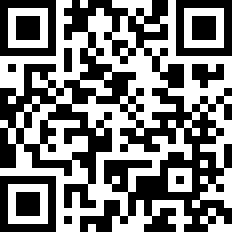
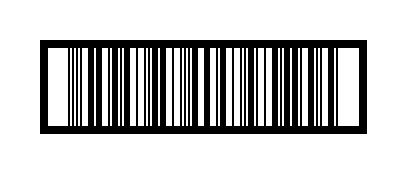
The retail barcode follows the length of your GTIN: 13 digits give an EAN-13, 12 a UPC-A, 8 an EAN-8, and 14 an ITF-14. The link itself always pads the GTIN to 14 digits, as the Digital Link standard requires. The open sample QR code and sample ITF-14 show the pair for GTIN 09506000134352.
Where do the two symbols sit?
Place the centre of the QR code within 50 mm of the centre of the linear barcode. Fifty millimetres is short: a fold, a seam, or a window in the pack can break the rule even when the flat file looks fine, so measure on the finished dieline, not on a zoomed screen.
Print the human-readable GTIN once, under the linear barcode, and not again under the QR code. The QR code already carries the GTIN. Keep both symbols dark on a light background, preferably black on white. If your brand colour is dark, put a white box behind both symbols rather than inverting them.
How big is each symbol?
| Symbol | Size |
|---|---|
| EAN-13, UPC-A | 37.29 × 25.93 mm at 100%; allowed from 80% to 200% |
| EAN-8 | 26.73 × 21.31 mm at 100% |
| QR code module (X-dimension) | At least 0.396 mm, target 0.495 mm, at most 0.990 mm |
| QR code quiet zone | 4 modules on every side |
The printed width of the QR code, including its quiet zone, is the module size × (number of modules + 8). The Digital Link page and the README do this sum for your code and give the minimum, target, and maximum in millimetres. Keep the white margins that are already in both pictures.
What is the pre-print checklist?
- Scan the linear barcode with the kind of scanner the till uses, or a verifier if you have one.
- Scan the QR code with a phone. It should open your link, with the right domain and GTIN-14.
- Check that a 2D-ready till returns the same GTIN from both symbols. If not, the files are not a pair: stop the print run.
- Check the quiet zones after the dieline is placed. Bleed, varnish, or a cut inside the margin breaks a symbol that passed as a loose PNG.
- On a dark, clear, or textured material, print a test on the real material, not just on paper.
The ZIP holds the two symbols and the note, not a print-ready pack; the layout stays in your design tool. An Amazon FNSKU label is a different job and never replaces the retail EAN-13.
Frequently asked questions
How close should the QR code be?
The centre of the QR code should be within 50 mm of the centre of the linear barcode, so the item is not scanned as two products.
Do I print the GTIN twice?
No. Print the human-readable GTIN once, under the linear barcode.
What size is the QR code?
Use a module of at least 0.396 mm, target 0.495 mm, at most 0.990 mm, plus a quiet zone of 4 modules on every side. The Digital Link page gives the millimetres for your code.
What files do I download?
A ZIP with the retail barcode PNG, the QR code PNG, and a README with sizes and placement. Each PNG can also be downloaded on its own. Downloads need a free account.
What do I scan before printing?
Both symbols. The phone should open the link, and a 2D-ready till should read the same GTIN as the linear barcode.
Keep going