Spreadsheets and files
Barcode generator for Google Docs
Docs cannot run a barcode formula. Insert a PNG address that includes your picture key.

Google Docs has no IMAGE formula, so you add a barcode as a picture. Check the code on the barcode form, copy its picture address with your picture key, and insert it with Insert, Image, By URL. You can also download the PNG and upload it. Docs will not turn a list of codes into barcodes, so this is the right path for a few barcodes in a letter, a spec, or a label sheet you lay out by hand.
Use a picture key in the address. Create it on the Account page. Never put an All routes key in a document: anyone who can see the image address can copy it.
How do I check the value before I insert it?
- Sign in, open the Account page, create a picture key, and choose Save this picture key on this device.
- Open the barcode form and enter the GTIN or URL.
- If the form shows a sentence instead of a barcode, fix the code first. Docs cannot repair it.
- Copy the image address. Because you saved the key on this device, the address already ends with your key.
- In Docs, choose Insert, Image, By URL, and paste the address.
- Leave the white margin around the bars, and do not stretch the picture so much that a phone cannot read it.
How do I insert the barcode?
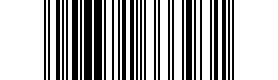
By URL makes Google fetch the picture without your sign-in. An address without a key comes back as a card that says: This barcode needs an API key. This is the EAN-13 for 4006381333931, with your picture key in place of YOUR_PICTURE_KEY:
https://beepable.app/i/ean13.png?v=4006381333931&k=YOUR_PICTURE_KEYAdd hrt=1 to print the digits under an EAN-8, EAN-13, or UPC-A:
https://beepable.app/i/ean13.png?v=4006381333931&hrt=1&k=YOUR_PICTURE_KEYThe type is the word before .png: ean13, upca, ean8, itf14, code128, qr, datamatrix, gs1datamatrix, or fnsku. You can also write auto and let Beepable choose. A web address in the value must be encoded, so copy it from the form rather than typing it by hand.
If your Docs menu has no By URL, open the address in a browser, save the PNG, and use Insert, Image, Upload from computer. An uploaded picture is a copy. It does not show your key, and it does not change when the code changes.
Which picture should go on the page?
| You have | Use |
|---|---|
| A GTIN for a product | The retail barcode Beepable picks: EAN-13, UPC-A, EAN-8, or ITF-14 |
| A web address | A QR code |
| A GTIN that needs a QR code for Sunrise 2027 | A GS1 Digital Link from the Digital Link page |
| A SKU or internal code | code128 |
Anyone who can read the document can see the value inside the image address. Do not insert a private link, a link with a token, or an unreleased page.
What if the picture is a card?
| The cell shows | Why | What to do |
|---|---|---|
| Check digit is invalid for this GTIN. Name code128 to encode it anyway. | The last digit does not match the other digits. | Copy the code again from its source. Beepable never makes up a check digit. |
| This barcode needs an API key. | The address has no key, or the key is cut off. | Copy the address again from the form after saving your picture key on this device. |
| This API key has been revoked. | The key was revoked on the Account page. | Create a new picture key and paste it in Z1. |
| This is neither a valid GTIN, an Amazon FNSKU, nor a URL. Name a symbology, such as code128. | The value is text, such as a SKU, and the formula says auto. | Put code128 in the formula instead of auto. |
How do I keep the picture from going stale or public?
A barcode that was drawn once is saved for a year, which is what you want for a code that does not change. To stop a document from showing its barcodes, revoke the picture key on the Account page. Pictures you uploaded as files stay in the document until you delete them.
One picture needs no key: the sample EAN-13 for 4006381333931 used on the homepage. For a column of codes, use the Excel or Google Sheets guide instead.
Frequently asked questions
Does Google Docs have a barcode formula?
No. Docs has no IMAGE formula. You insert the barcode as an image from its address, or upload a PNG you saved.
How do I insert a barcode by URL?
Choose Insert, Image, By URL, and paste an address that ends with your picture key. Google fetches the picture without your sign-in, so the key must be in the address.
Can I paste an error sentence into By URL?
No. A code that is not valid has no barcode. Fix the code first, or use code128 when you really want the characters as a Code 128.
Can the digits appear under the bars?
Yes, for EAN-8, EAN-13, and UPC-A. Add &hrt=1 to the address before &k=.
Does the homepage sample work in Docs?
Only for GTIN 4006381333931. The sample picture needs no key. Every other code needs your picture key in the address, or a PNG you upload.
Keep going